
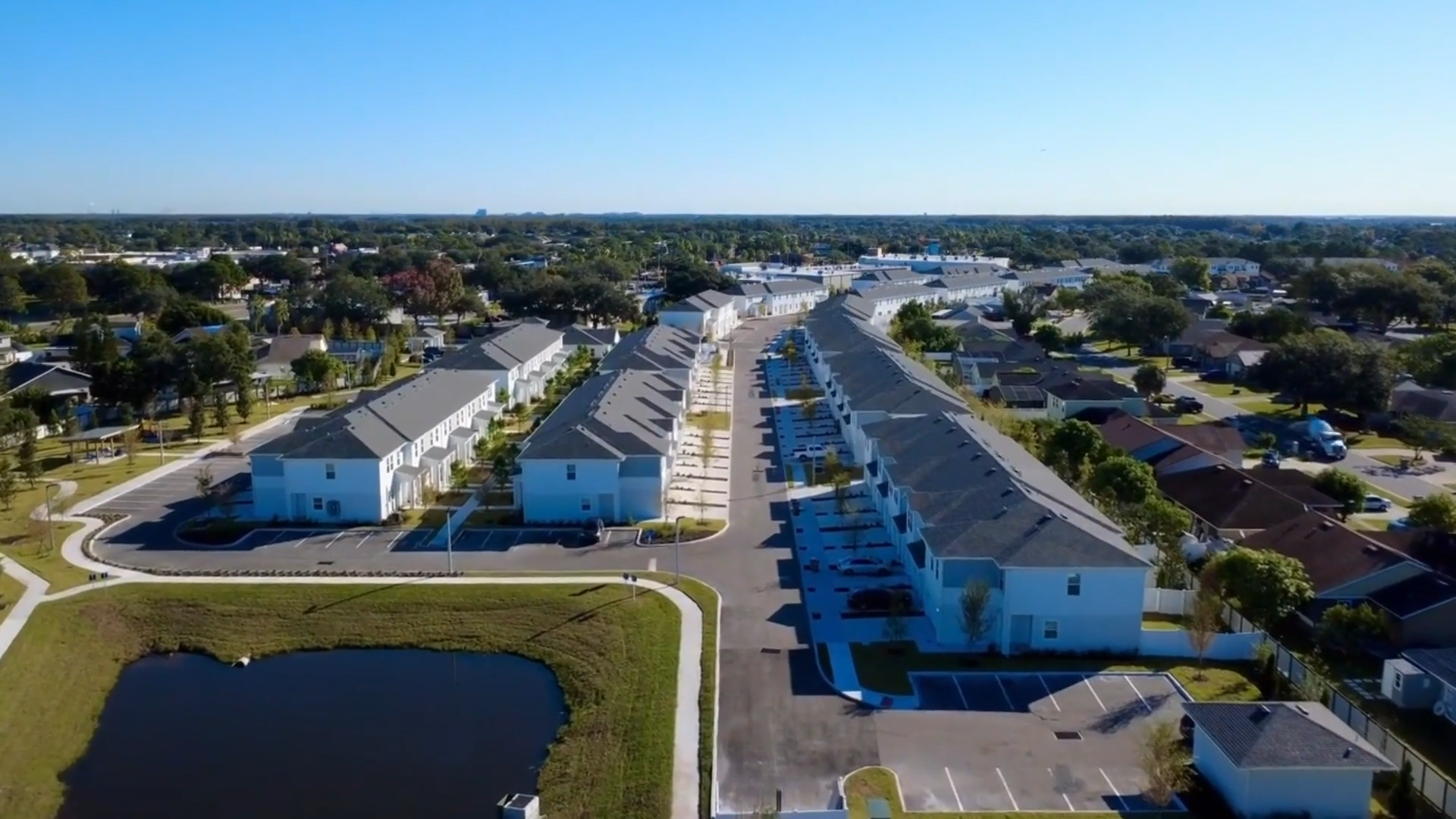
Symphony Lakes

Symphony Lakes offers spacious 3 and 4-bedroom rental homes in Palmetto. Enjoy modern interiors, scenic surroundings, and relaxing amenities, all just minutes from Gulf Coast beaches and nearby shopping and dining.

Availability

3 & 4-Bedroom Townhomes & Single-Family Homes

Location

Palmetto, FL
Aerial view of a residential neighborhood with rows of townhouses, parking lots, and a small pond under a clear blue sky.

At Home
In Palmetto

Palmetto offers a refreshing blend of coastal calm and everyday convenience along Florida’s Gulf Coast. Situated along the Manatee River and just minutes from Tampa Bay, the area is known for its scenic waterfronts, charming local character, and easy access to outdoor recreation. Residents can spend their days enjoying nearby beaches, parks, boating, and waterfront dining while experiencing a pace of life that feels relaxed and welcoming.

Beyond its natural beauty, Palmetto is ideally positioned within the rapidly growing Sarasota–Bradenton region. With convenient access to major roadways, residents are within easy reach of downtown Bradenton, Sarasota’s cultural attractions, and the vibrant energy of St. Petersburg. The result is a location that offers both peaceful neighborhood living and close proximity to the restaurants, shopping, and opportunities that make the Gulf Coast such a desirable place to call home.

Wooden railing pathway leading to a sandy beach with palm trees and green bushes, overlooking calm blue water and a partly cloudy sky.
NCF Filter Reset
Documentation
Reset Filter
Thank you! Your submission has been received!
Oops! Something went wrong while submitting the form.

Dynamic Map Instructions (Delete This)

Don't delete "cru-ncf"-elements

Elements with “cru-ncf-…” classes contain essential attributes required for Dynamic Map to function properly. Please do not delete these elements.

Style in Webflow, modify in Dynamic Map App

Use the Dynamic Map App from Webflow’s App Store to adjust your map settings. All styling can be managed directly in Webflow. Refer to the Style Guide below the map to customize elements provided by Dynamic Map.

In case of an issue...

... open the Dynamic Map App, click “Refresh,” then “Insert Code,” and follow the provided instructions. If this doesn’t resolve the issue, refer to our Help Center or Customer Support for assistance.

Important Links

NCF Filter Reset
Documentation
Reset Filter
Thank you! Your submission has been received!
Oops! Something went wrong while submitting the form.
Map Item
Spinning Ring to indicate loading

Dynamic Map Style Guide (Don't Delete)

Please modify your styling elements here to change their appearance on the live website. The styleguide is invisible on the published site.

CMS List Item

Documentation
Default State
List Item Default
Active State
List Item Active

Filter Reset / Empty State

Documentation
There are no items using this filter combination.
Reset Filter
Change Pop-Up style here. Auto-Hiden on Live Site.
Change Tooltip style here. Auto-Hiden on Live Site.
Pop-Up Title
Tooltip Text

Filter Address Search

Documentation
Default State
Thank you! Your submission has been received!
Oops! Something went wrong while submitting the form.
Active State [add class "active"]
Thank you! Your submission has been received!
Oops! Something went wrong while submitting the form.

Filter Chip

Documentation
Default State
Filter Chip
Active State
Filter Chip Active

Map Location Pin

Documentation
Default State
Hover State
Active State

Ready to make your move

Visit the property website to explore floor plans, pricing, and submit your application today.